Deployment
The Deployment module manages the promotion of approved metadata changes to target EPM applications. This section covers creating and scheduling deployments.
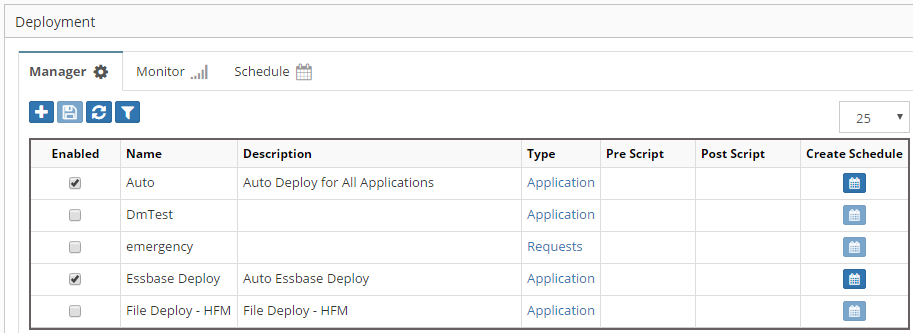
Deployment configuration
Understanding Deployments
Deployments in EPMware:
- Transfer approved changes to target systems
- Maintain audit trails of all deployments
- Support scheduled and immediate deployments
- Provide rollback capabilities
- Generate deployment reports
Create Deployment
To create a new deployment configuration:
Access Deployment Module
- Navigate to Deployment from the main menu
- The deployment dashboard displays existing deployments
- Click the Add button
 to create a new deployment
Schedule Deployment
After creating a deployment, configure when it should run.
Scheduling Options
Click the Schedule button  to set up deployment timing:
More Info
For detailed information on the Deployment module, please refer to the Administrator's Guide